Analyse Files
This section covers analysing the site files for discrepancies between sites.
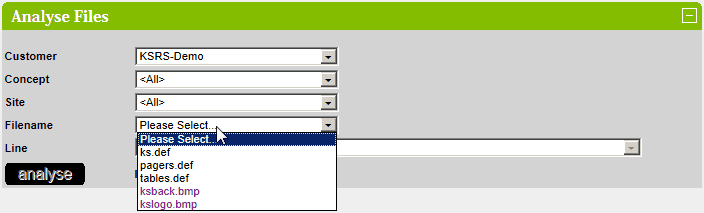
Select the required Customer, Concept and Site. The available site files for will be displayed in the Filename dropdown
listbox.
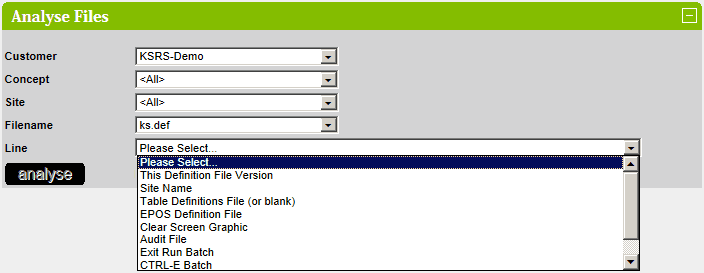
Select the required File.
If the file is a standard definition file (such as ks.def) then the line descriptions will be displayed in the Line dropdown
listbox.
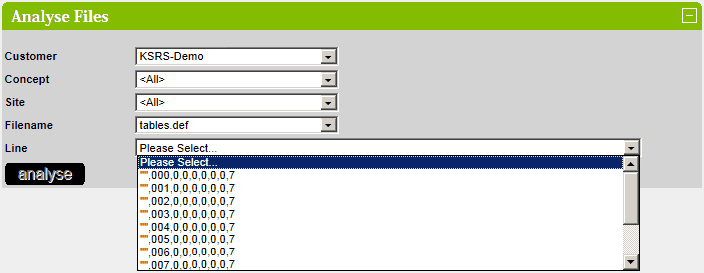
If the file is a non-standard definition file (such as tables.def) then data will be displayed in the Line dropdown listbox.
When the Customer, Concept, Site, Filename and Line have been selected then the analyse button will
become enabled.
Press the analyse button to analyse the selected line across all selected concept and sites.
By default, the results will include all versions of the selected file.
To only display the results for the current versions of the selected file, uncheck the Include All Versions checkbox.
Standard Definition Files
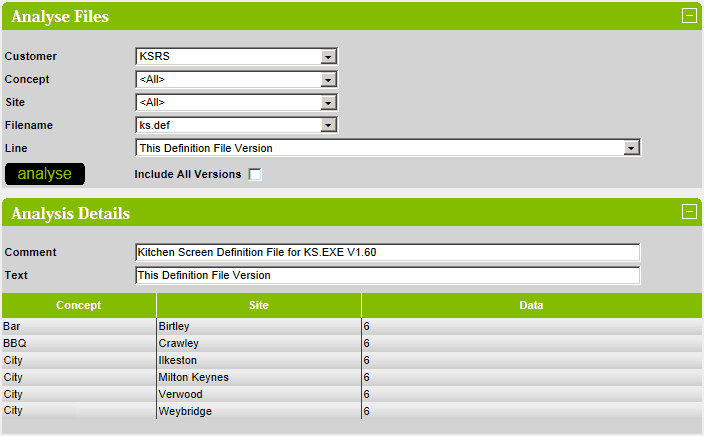
The results are displayed in a grid.
Sites are displayed in alphabetical order.
If a specific concept is selected then the concept name column is not displayed.
If a specific concept is NOT selected and a site is in multiple concepts then all the concepts are listed in the
concept column.
If a specific site is selected then the site name column is not displayed.
The majority comment is displayed in the Comment field.
The majority text is displayed in the Text field.
An example is shown below:
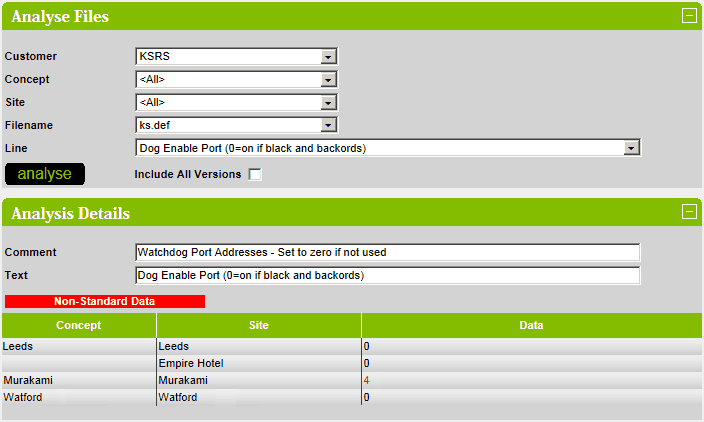
If the a result is not the same as the majority result (i.e there is a discrepancy) then the Data column is highlighted in
red:
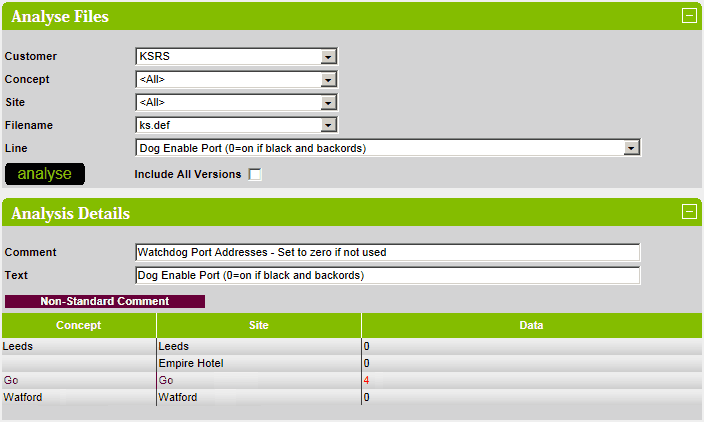
If the a comment is not the same as the majority comment (i.e there is a discrepancy) then the Concept and Site
columns are highlighted in purple and the comment is displayed as a tooltip:
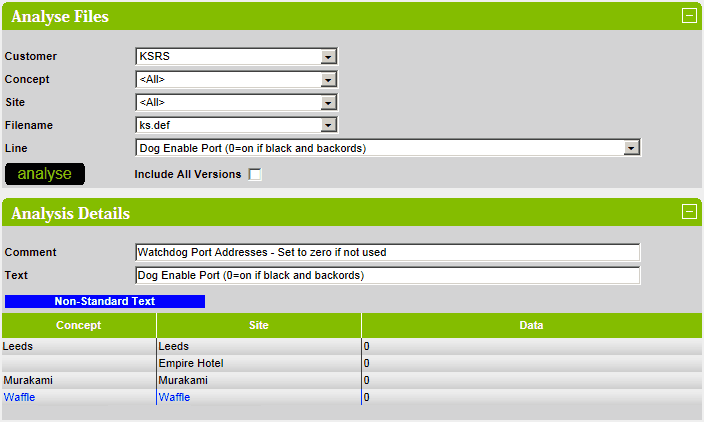
If the a text is not the same as the majority text (i.e there is a discrepancy) then the Concept and Site columns are
highlighted in blue and the text is displayed as a tooltip:
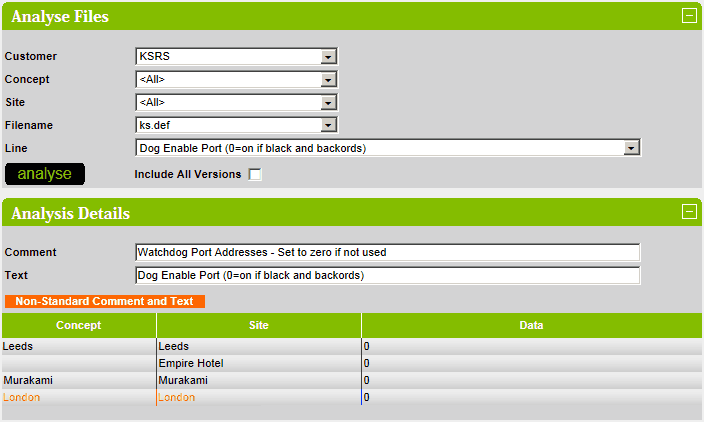
If the both the comment and the text is not the same as the majority comment and text (i.e there is a discrepancy) then
the Concept and Site columns are highlighted in orange and the comment and text is displayed as a tooltip:
Non-Standard Definition Files
The results are displayed in a grid.
Sites are displayed in alphabetical order.
If a specific concept is selected then the concept name column is not displayed.
If a specific concept is NOT selected and a site is in multiple concepts then all the concepts are listed in the concept
column.
If a specific site is selected then the site name column is not displayed.
An example is shown below:
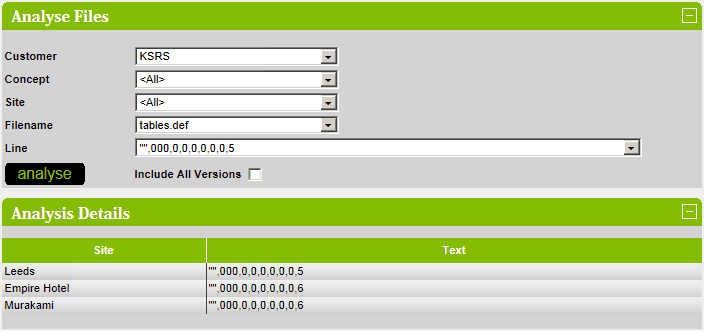
If the a result is not the same as the majority result (i.e there is a discrepancy) then the Text column is highlighted in
red:
